Organizations, end to end
You can now create team organizations, delete one with a preview and a 7-day window to cancel, review audit events, and read usage and cost with an admin key.
If you run a team on Apertis, the jobs around it now have a place: a script reads usage and cost with an admin key, a mistaken delete can be cancelled for seven days, and every administrative change is in an audit log you can export. An account can create up to 5 team organizations.
Read usage and cost over the API
Two read-only endpoints return what your organization used and what it was charged. They keep the paths, the bucket envelope and the result objects of OpenAI's organization usage and costs API, so a script written against that API needs a new base URL and a new key, not a rewrite.
curl -G "https://api.apertis.ai/v1/organization/costs" \
  -H "Authorization: Bearer sk-admin_..." \
  -d start_time=1790035200 \
  -d group_by=project_id,api_key_id \
  -d limit=7
{
"object": "page",
"data": [
{
"object": "bucket",
"start_time": 1790035200,
"end_time": 1790121600,
"results": [
{
"object": "organization.costs.result",
"amount": { "value": 1.234567, "currency": "usd" },
"project_id": "proj_12",
"api_key_id": "key_34",
"api_key_name": "ci",
"charge_basis": "configured_price"
}
]
}
],
"has_more": true,
"next_page": "page_eyJ2Ijox..."
}| Usage | Costs | |
|---|---|---|
| Endpoint | GET /v1/organization/usage/completions | GET /v1/organization/costs |
| Returns | input, output, cached and cache-write tokens, request count | amount charged in USD |
group_by | project_id, api_key_id, model, user_id | project_id, api_key_id, line_item |
| Filters | project_ids, api_key_ids, models, user_ids | project_ids, api_key_ids |
| Buckets | UTC days, 1 to 31 per page | UTC days, 1 to 31 per page |
| Range | up to 366 days per request | up to 366 days per request |
| Formats | json, csv | json, csv |
Before you build on it:
- Amounts are exact.
amount.valueis USD to six decimals with no float rounding, and it is the same figure the console's Usage tab sums for the same range and filters. - Every result says how it was priced.
charge_basisisconfigured_price,unknown_model_fallbackornot_recorded, always as separate results. A charge is never reported asconfigured_priceunless it was one. - Pagination does not drift. Omit
end_timeand the first page fixes it; thenext_pagecursor carries it, so page 40 covers the same range as page 1. A cursor sent with other parameters is refused with 400invalid_page. Results are never dropped to fit a page. - The end is exclusive. A row recorded at exactly
end_timeis not counted. The console treats its end as inclusive, so compare againstend_time - 1. - CSV for spreadsheets.
format=csvreturns one row per result; the cursor is inX-Next-PageandX-Has-More. Names that would run as a formula are neutralised. - Rate limit: 60 requests per 60 seconds, counted against the member who created the key and shared with that member's own console queries. Create polling keys from a member who does not live in the console.
Two differences from OpenAI's API: bucket_width accepts only 1d, and limit is 1 to 31.
If a call fails, this is what you will see:
| Status | Code | When |
|---|---|---|
| 400 | invalid_request_error | a bad time, a range over 366 days, an unknown group_by, limit outside 1 to 31 |
| 400 | range_not_available | start_time is before the earliest usage still held; the message names that time |
| 400 | invalid_page | the cursor belongs to another organization or other parameters |
| 401 | invalid_api_key | a missing, unknown or revoked admin key, or an inference key |
| 403 | insufficient_permissions | the key does not allow usage.read |
Create admin keys with scopes
To call those endpoints, create an admin key (sk-admin_...). It is a separate credential from an inference key: sk-... and sk-org_... keys are refused on the organization endpoints with 401. An admin key always acts inside its own organization; no parameter or cursor can name another one.
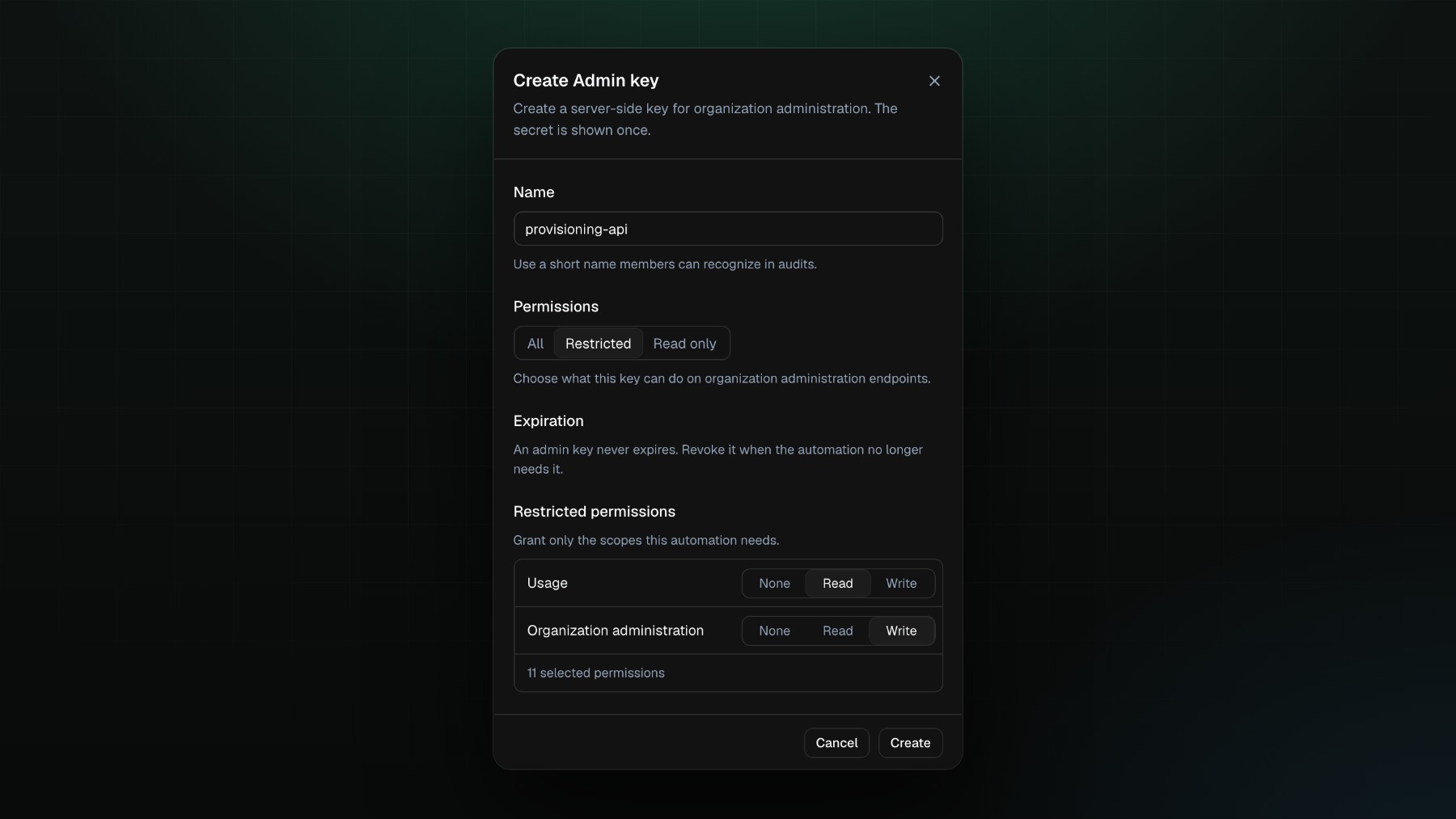
Pick the mode that fits the job:
| Mode | What the key can do |
|---|---|
read_only (default) | read every family below |
restricted | only the families you pick, each as read or write: usage, projects, project_users, service_accounts, project_api_keys, admin_api_keys |
all | read and write every family |
- In the console the three modes are All, Restricted and Read only, and a new key starts as Read only. A restricted key there has two rows: Usage, and Organization administration, which covers the other five families together. The API sets each family on its own.
- The secret is shown once, at creation. Apertis stores a hash and a masked form.
- An admin key has no expiry. Revoke it when the automation no longer needs it.
- A key never outlives its creator's rights. If the member who made it is disabled, leaves the organization or loses the right to manage admin keys, the key answers 403 (
owner_disabled,owner_not_org_member,owner_not_authorized).
Delete an organization with a preview, and seven days to change your mind
Deleting an organization used to be a single irreversible request. Now, as an owner, you open Organization settings, choose Delete organization, and see what the deletion takes with it before you confirm: other members, pending invitations, projects, service accounts, member keys, service-account keys, admin keys and available credits, each as a count, plus anything that blocks it.
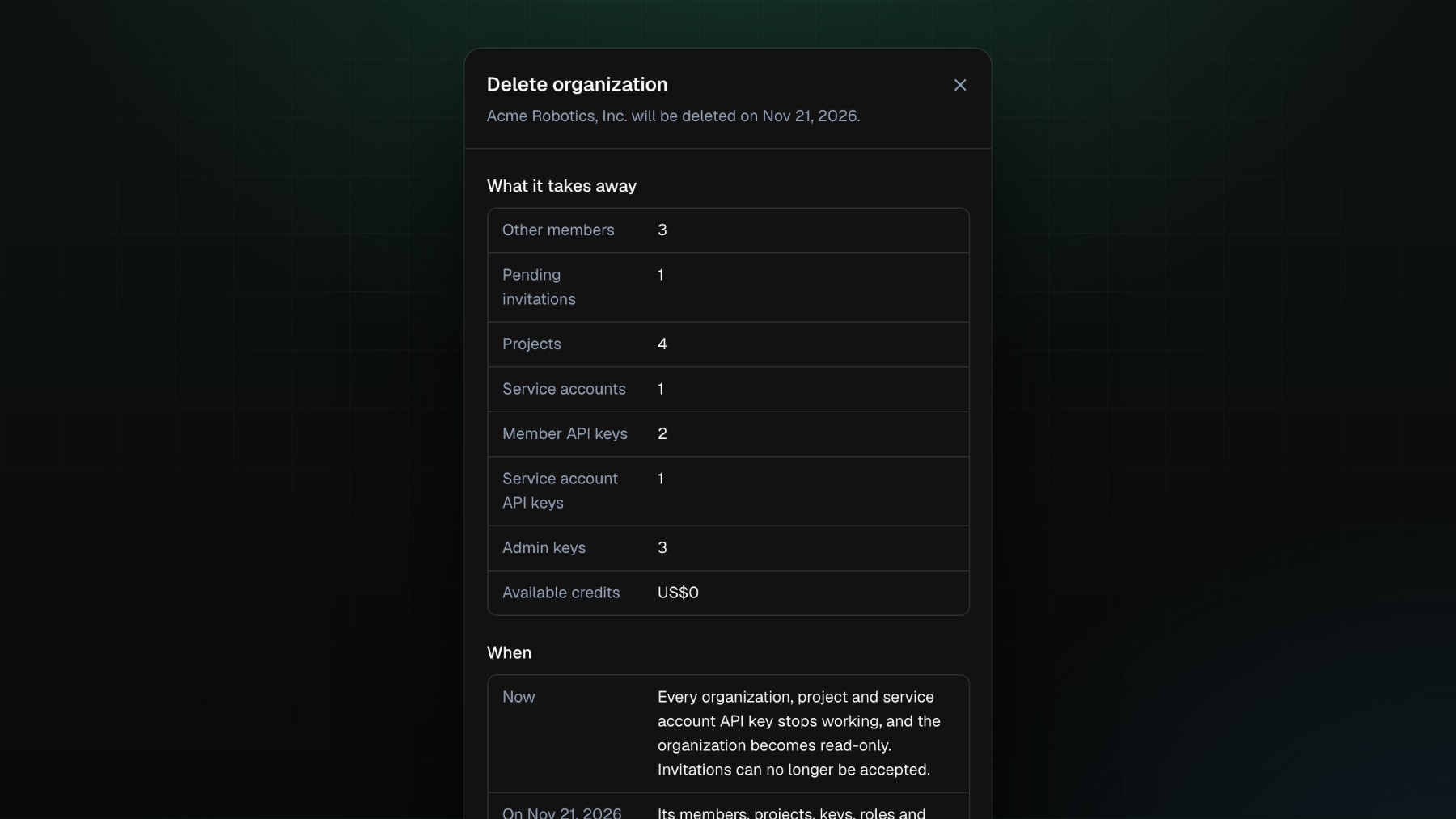
Confirming schedules the deletion seven days out. During the window:
| Behaviour | |
|---|---|
| Reading the console | works |
| Cancelling, removing a member, leaving | works |
| Any other change | 409 org_deletion_scheduled |
| Organization keys, service-account keys, admin keys | 403 organization_deletion_scheduled |
You can cancel at any point in the window and everything resumes. An organization with money in motion cannot be scheduled: a positive or negative balance, an open checkout, a card being set up, or a payment that can still be reversed. The preview names each blocker.
Review who did what, and export it
Every administrative change is recorded with the actor, the action, the result (success, blocked or failure), the target, and a field-level diff (from and to) for updates. Since 2026-10-05 each event also carries the IP address and user agent, and the actor type: a signed-in member, an admin key, a SCIM token or the system.
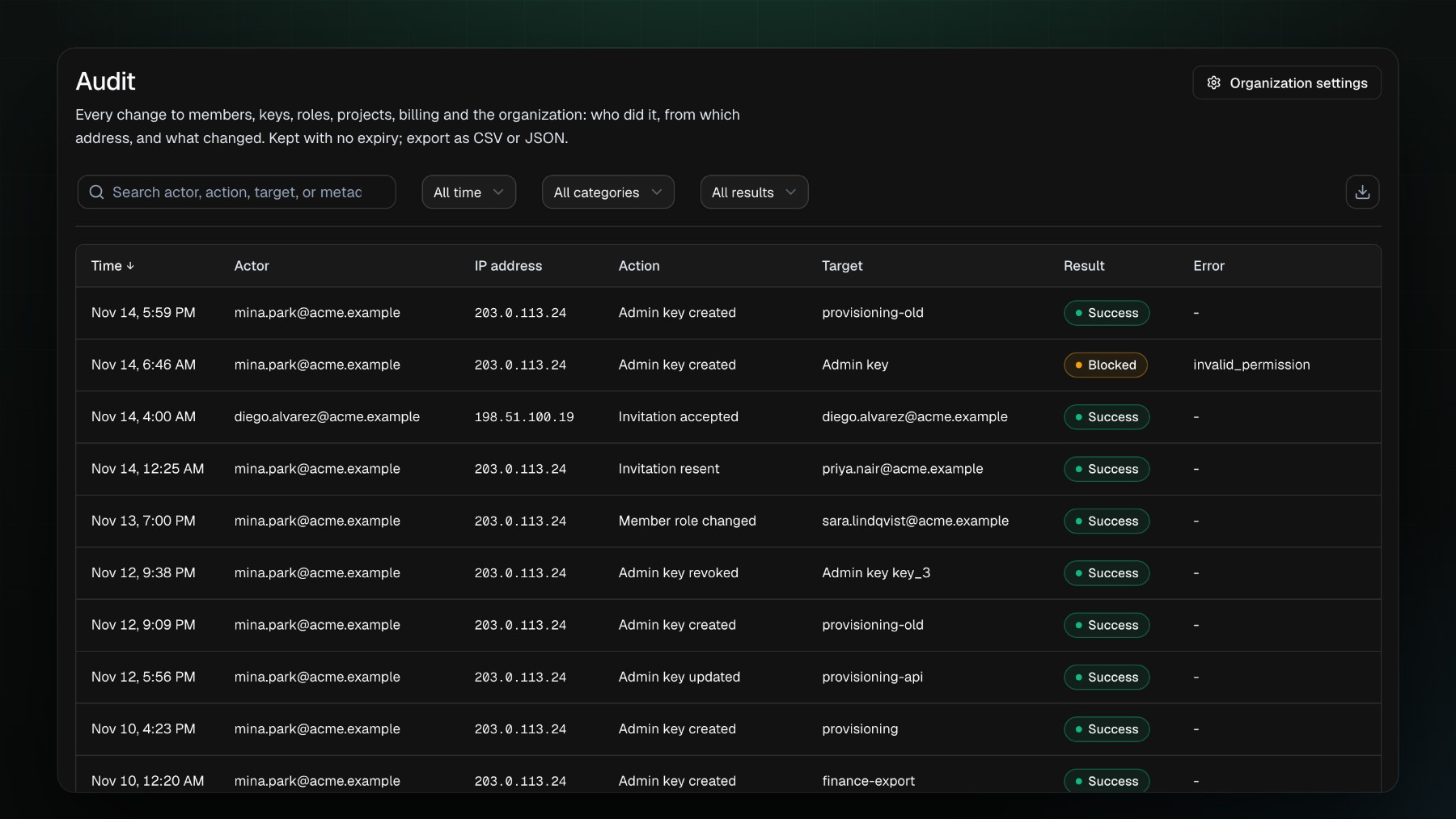
These are the events you will find:
| Family | Events |
|---|---|
| Organization | org.create, org.update, org.deletion.schedule, org.deletion.cancel, org.deletion.complete |
| Members and invitations | org.invite.create, accept, resend, revoke; org.member.update, remove |
| Keys | org.api_key.* and org.admin_key.*: create, update, revoke |
| Roles and groups | org.role.*, org.group.* |
| Billing | org.billing.*: payment methods, portal sessions, auto-recharge, PO reference |
| SSO | org.sso.connection.create, org.sso.domain.add, verify, remove |
| Projects | project.create, update, archive, members and service accounts |
You can filter by actor, action, result, target, project and time. Export as CSV or JSON, up to 50,000 events per export; a larger range is refused with 422 audit_export_too_large instead of being cut short. Each export returns a snapshot id in X-Audit-Export-Snapshot-Id and is itself recorded as org.audit.export.
Decide who can do what
- Owner has full control. Reader can view the organization and create their own
sk-org_key. - Custom roles combine eight permissions:
organization.read,projects.read,projects.write,members.write,billing.write,api_keys.write,project_api_keys.write,admin_api_keys.write. - A team organization holds up to 50 pending invitations; resending one extends it by seven days.
Docs: Organizations